Compass can turn a completed-learning report PDF into draft HomeTrail sessions, grades, and attendance. Nothing is added until you review and confirm it.
Report import is included with HomeTrail Plus. Open Plus Hub → Compass or Trailhead → Integrations and find Compass report imports.
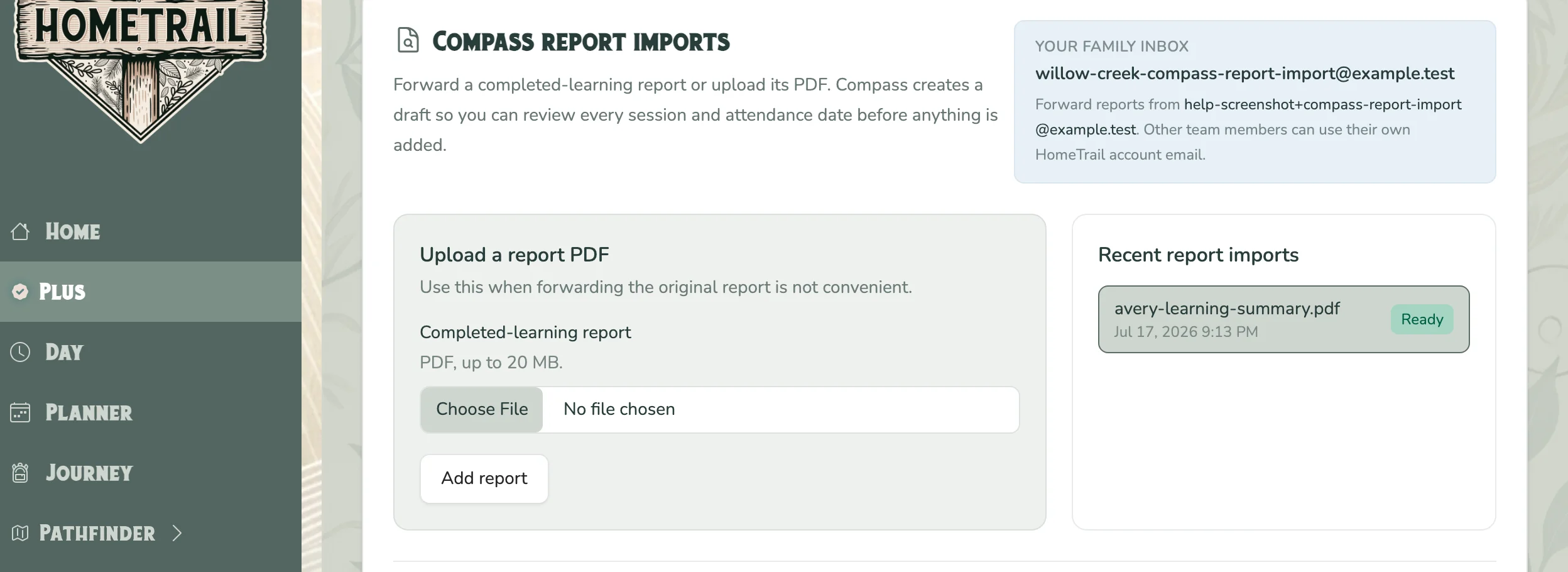
Add the report
- Forward the original PDF to the family inbox shown in the panel from a registered team member's HomeTrail account email, or choose Upload a report PDF. Uploads may be up to 20 MB; an email may include up to five supported attachments.
- The team owner completes Approve Compass processing the first time.
- Wait while Compass prepares the draft. Unapproved temporary files expire after 48 hours and are deleted automatically.
HomeTrail stores the PDF privately before approval so it can receive the upload or forwarded email. Approval authorizes Compass's AI processing; it does not add anything to the planner, grades, or attendance. Compass may make mistakes, so review the entire draft.
Review the draft
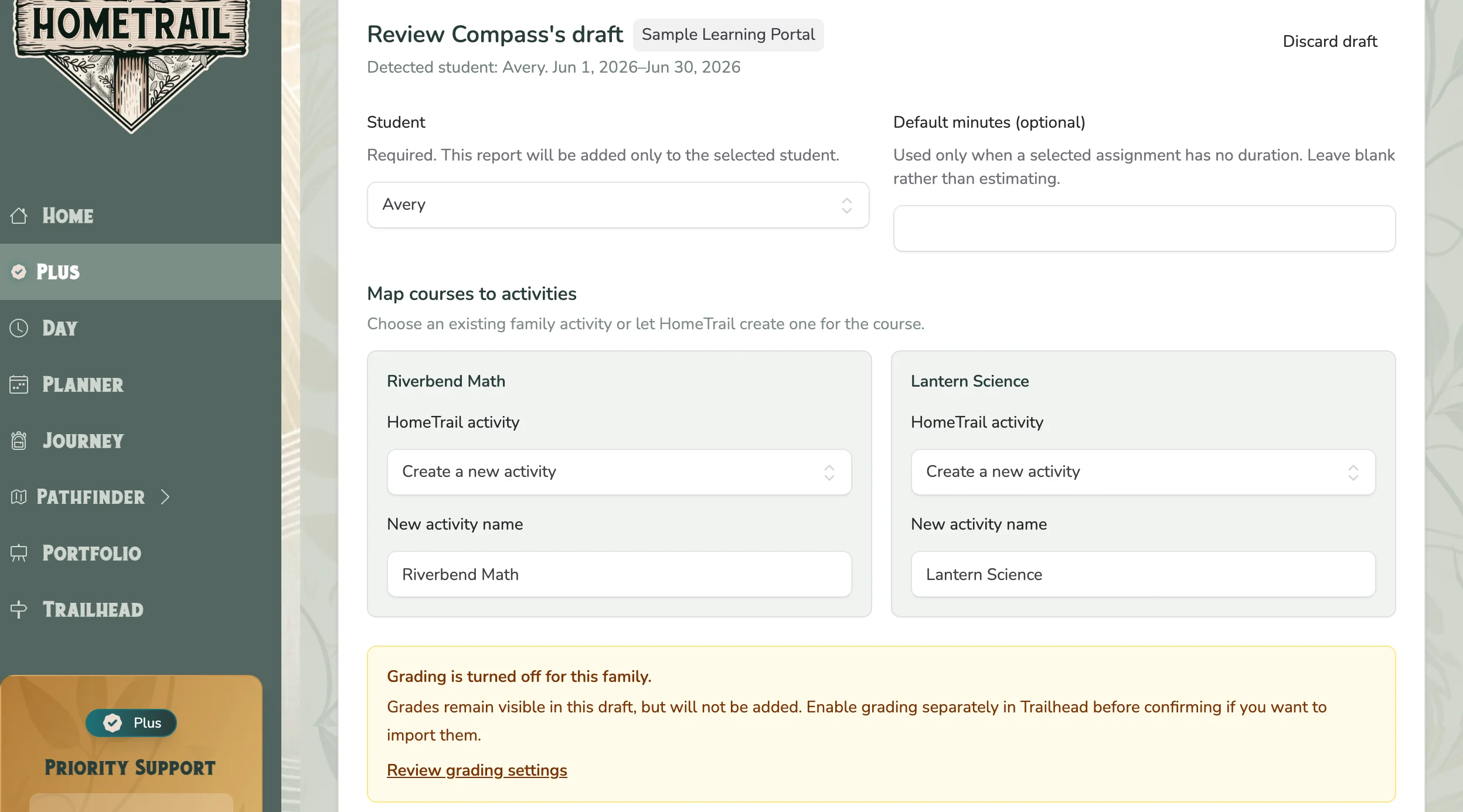
- Choose the student the report belongs to.
- Map each detected course to an existing HomeTrail activity or let HomeTrail create one.
- Review every assignment name, completion date, grade, and duration. Pay extra attention to duplicate and low-confidence warnings.
- Uncheck rows that should not be imported.
- Select attendance dates deliberately; Compass does not select them for you.
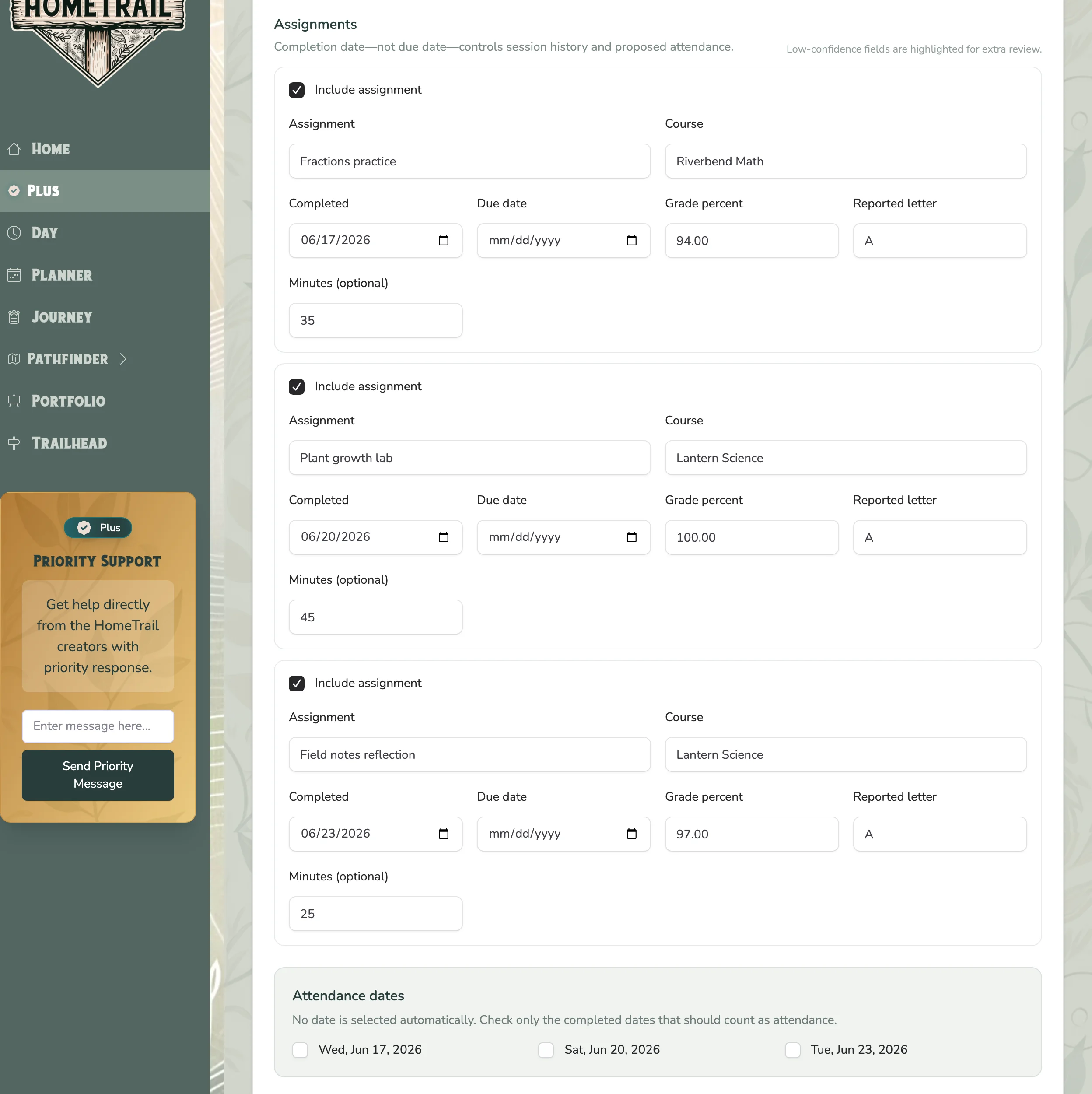
The completion date, not the due date, drives session history and attendance. Grades are imported only when family grading is enabled and the grade option is selected.
Read the confirmation summary, then choose Confirm and add records. Use Discard draft if the report or mapping is wrong.

