HomeTrail Plus
Less prep. More time for the learning.
HomeTrail Plus is the paid upgrade to HomeTrail’s free homeschool planner. Text TrailGuide, its homeschool assistant, to log a lesson or move unfinished work. Your kids work in Nest, a distraction-free student app with only the lessons, readings, and worksheets you approve. Plus also makes materials for your child, reviews finished work with Compass, and handles grading, GPA, and transcripts. One price covers your whole family: $19.99 a month or $199 a year after a 10-day free trial.
Text in. Portfolio out.
Text a learning moment, a question, or a quick update. TrailGuide handles logging, planning, attendance, reports, Nest, and more across HomeTrail, so you rarely need to open the app. New capabilities land regularly.
- Log sessions and attendance by text
- Snap a photo of finished work to get feedback and log it
- Plan, check schedules, and ask what’s next
- Send articles and activities to Nest
Give kids a focused place to learn.
Bring together the day’s activities, materials you made, and things you picked just for them. Kids can read, listen, watch, answer, and share finished work. Prefer paper? Nest is optional.
- Worksheets, readings, audio, and planned activities
- Ad-free, privacy-first YouTube player in the Nest app
- No suggested next video; articles in reader mode
- Notes, photos, and voice messages with Trail Mail
TrailGuide
HomeTrail Plus
fractions-worksheet.jpg
Photo attached
Maya just finished her fractions worksheet
She nailed equivalent fractions. Number 7 tripped her up: comparing unlike denominators. Want a quick practice activity for tomorrow?
Text a photo of finished work. Get thoughtful feedback. Not an official grade.
The perfect teacher is you.
Compass reviews finished work with warm, specific feedback, not official grades. Use your child’s learning map and recent feedback to ask for follow-up practice you can review and tailor.
- Text a photo, get thoughtful feedback
- Nest worksheets reviewed automatically
- Progress logged to their portfolio
- Follow-up practice based on their work
Built around the free HomeTrail planner and records tools, with Plus materials, assistance, grading, and transcripts on web and mobile.
Curriculum PDF import · Included with Plus
Your curriculum. On your calendar.
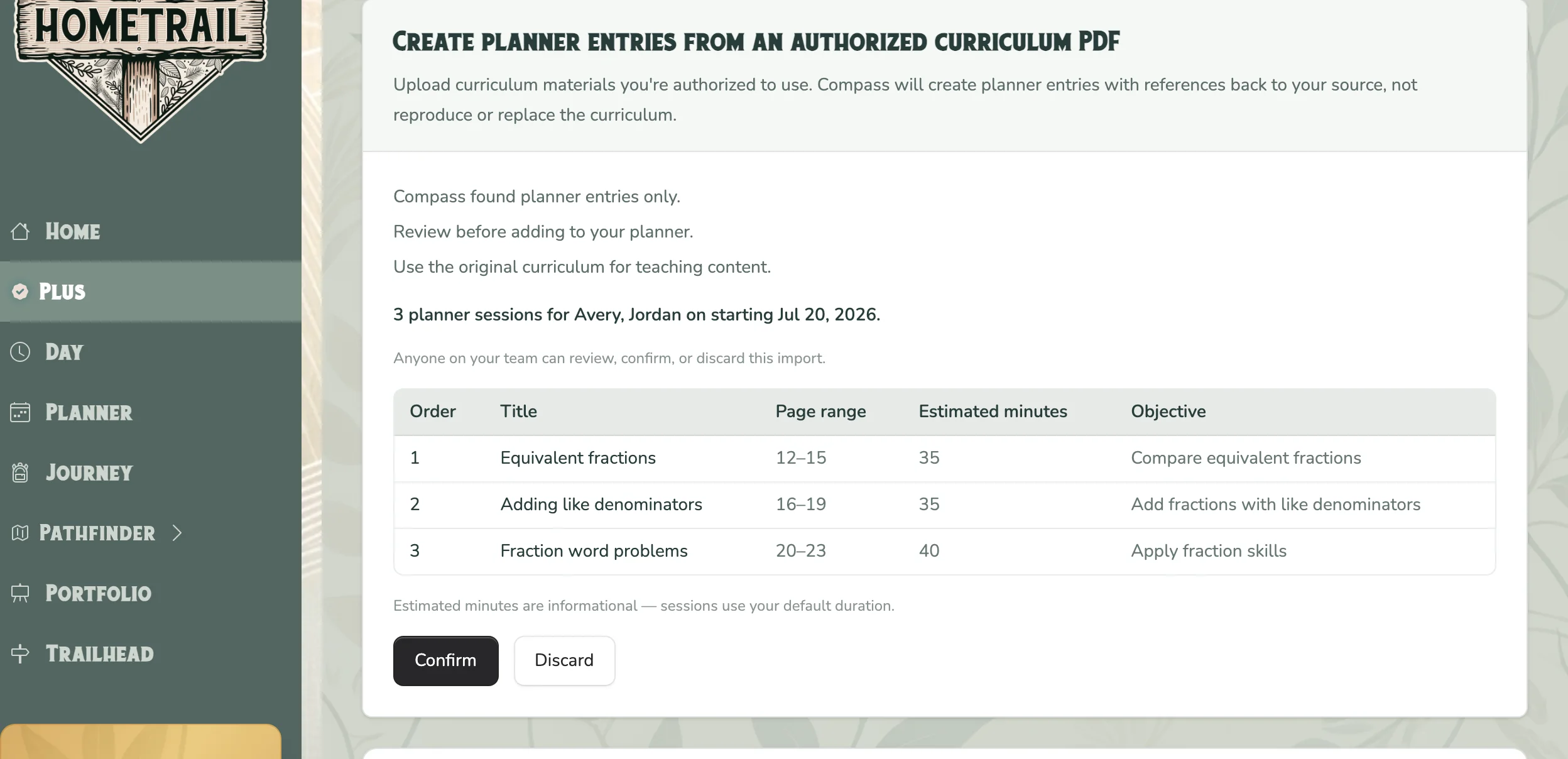
Skip entering a whole course lesson by lesson. Upload a curriculum PDF you own or are allowed to use, choose your students and teaching days, and review the plan Compass puts together.
You check the lesson order, dates, and page references before adding anything. Keep using your original curriculum to teach.
-
01
Upload your curriculum
Start with a PDF that has readable text. Choose the children who will use it.
-
02
Choose your teaching days
Set the start date and weekdays that fit your family’s schedule.
-
03
Review, then add to Planner
Check the proposed lessons and page references. Save the plan when you’re ready.
Create Materials · Included with Plus
What would help your child today?
A little more practice, a different explanation, or something that follows their curiosity. Make what you need, then review it before sharing.
- Practice & check understanding
- Math and handwriting worksheets, quizzes, crosswords, word searches, and multiplication practice.
- Explain & explore a topic
- Readings, explainers, podcasts, fun facts, coloring pages, and silly stories.
- Send something you chose
- Send a YouTube video or an internet article to Nest. Keep it with the learning it belongs to.
Also make: handwriting practice, quizzes, crosswords, word searches, multiplication practice, readings, explainers, fun facts, silly stories, Sports Recap, and Patrol news updates. More formats added regularly.
-
01
Make it for your child
Choose a format, topic, and day in Create Materials. Future-day materials are made right away, ready for you to review.
-
02
Review & finish
Read it first. Use Tailor it to change the difficulty, length, or examples before you decide who receives it.
-
03
Use it your way
Open it on the web, print supported formats, or send it to Nest. Keep it with the activity and day you chose.
Up to 5 materials a day during your trial; 20 a day with Plus, per family.

From the founders
We use Plus every day, too.
We first built HomeTrail for our own homeschool, to keep track of the books, projects, and everyday learning we didn’t want to forget. We use Plus with our own family every day, and we’re constantly adding new features and improving the tools we rely on.
Laura and Mick
Don’t just take our word for it. Explore the Plus help catalog
From curriculum to a real week
Make the plan fit the week you actually have
HomeTrail Plus wraps planning, daily follow-through, student work, and records around the curriculum and commitments your family already has.
-
01
Bring what you already use
Put open-and-go curriculum in the same planner as co-op, appointments, activities, and family learning.
-
02
Build a doable week
Plan lessons, send focused work to Nest, and add generated packs and worksheets where a child needs practice. You can also start from our free unit-study examples.
-
03
Adjust what slipped
Tell TrailGuide what was unfinished and ask it to move the activity you choose. It never reschedules the rest automatically.
-
04
Close the loop
Review work with Compass, record grades, build transcripts, and keep the evidence tied to the plan.
Everything included
Help through the whole homeschool day
Make the plan, use what you prepared, and keep track of what happened.
- Plan and log with a text
-
Ask what’s planned, record learning and attendance, or move the activity you choose. TrailGuide keeps the rest of your week where you put it.
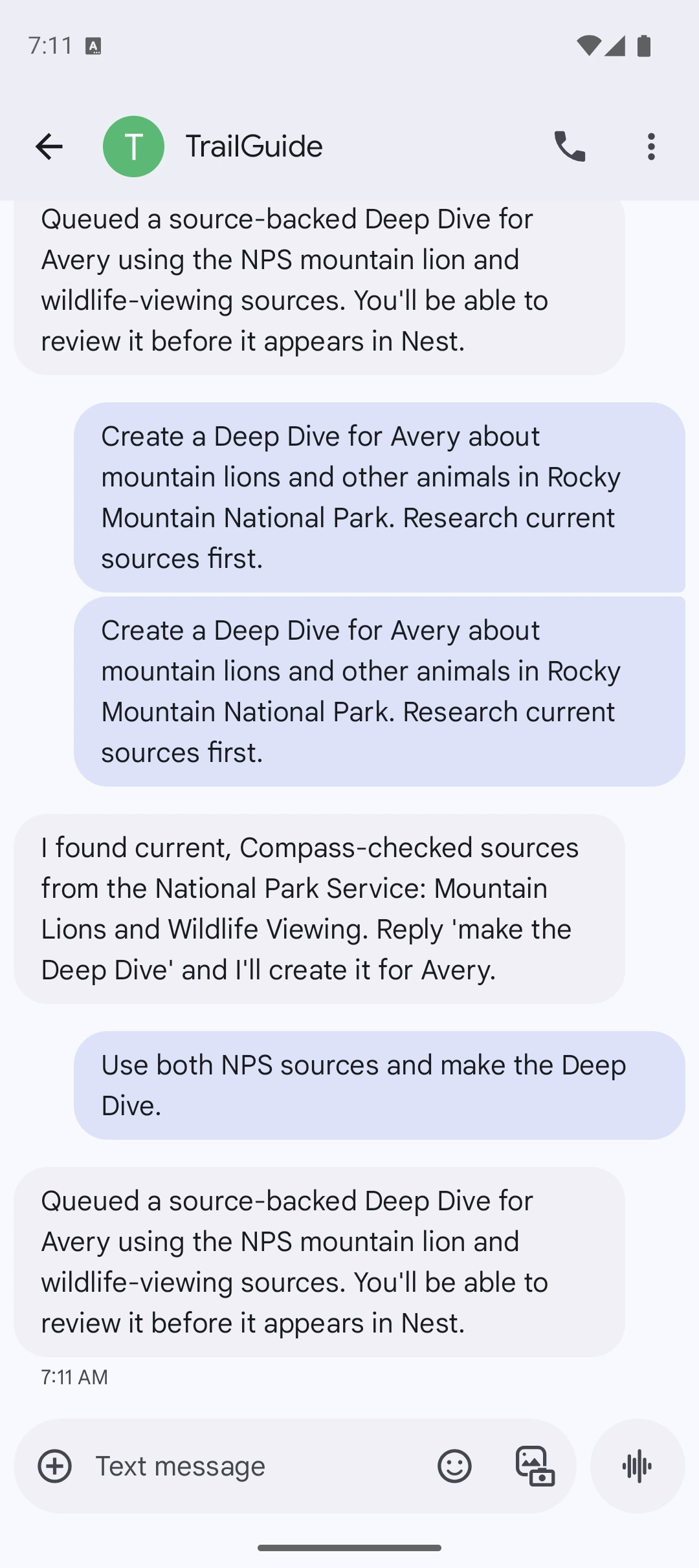
- Give kids a focused place to learn
-
Send the readings, worksheets, audio, and videos you choose. Kids can work through their cards, answer questions, and share finished work. Prefer paper? Nest is optional.
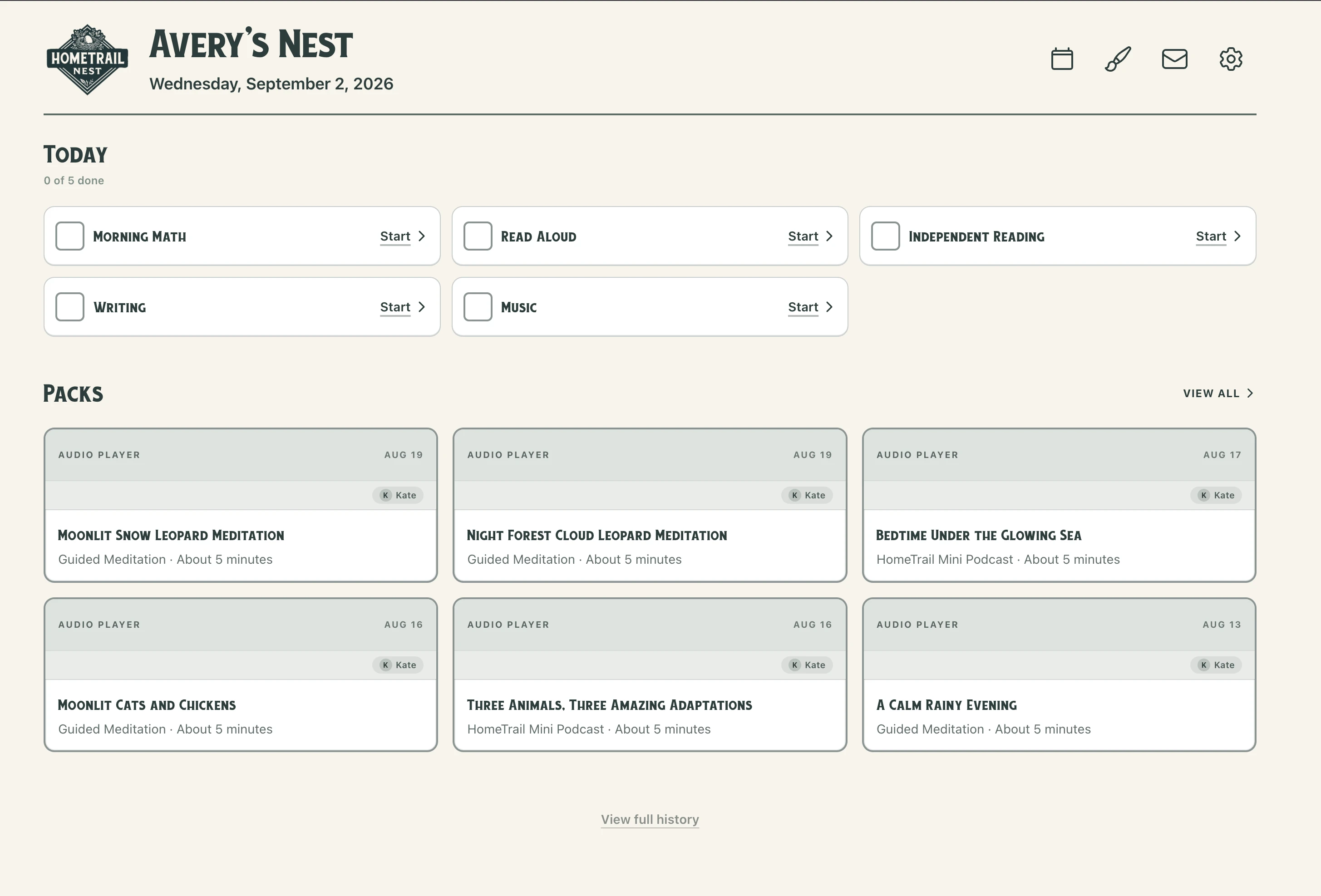
- Turn finished work into a next step
-
Send a photo of finished work for warm, specific feedback. See the learning map for each child and ask for follow-up practice you can review and tailor. Feedback is not an official grade. You decide what to teach and how to grade it.
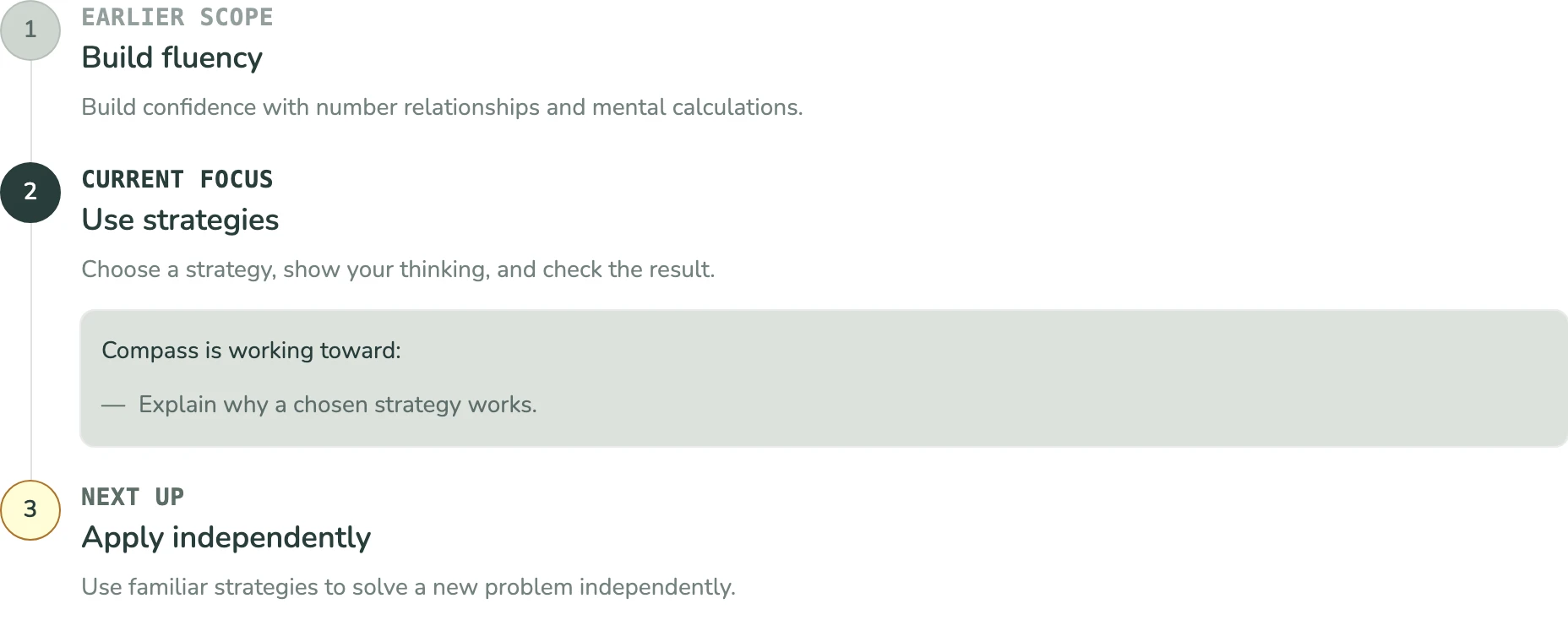
- Keep the evidence with the learning
-
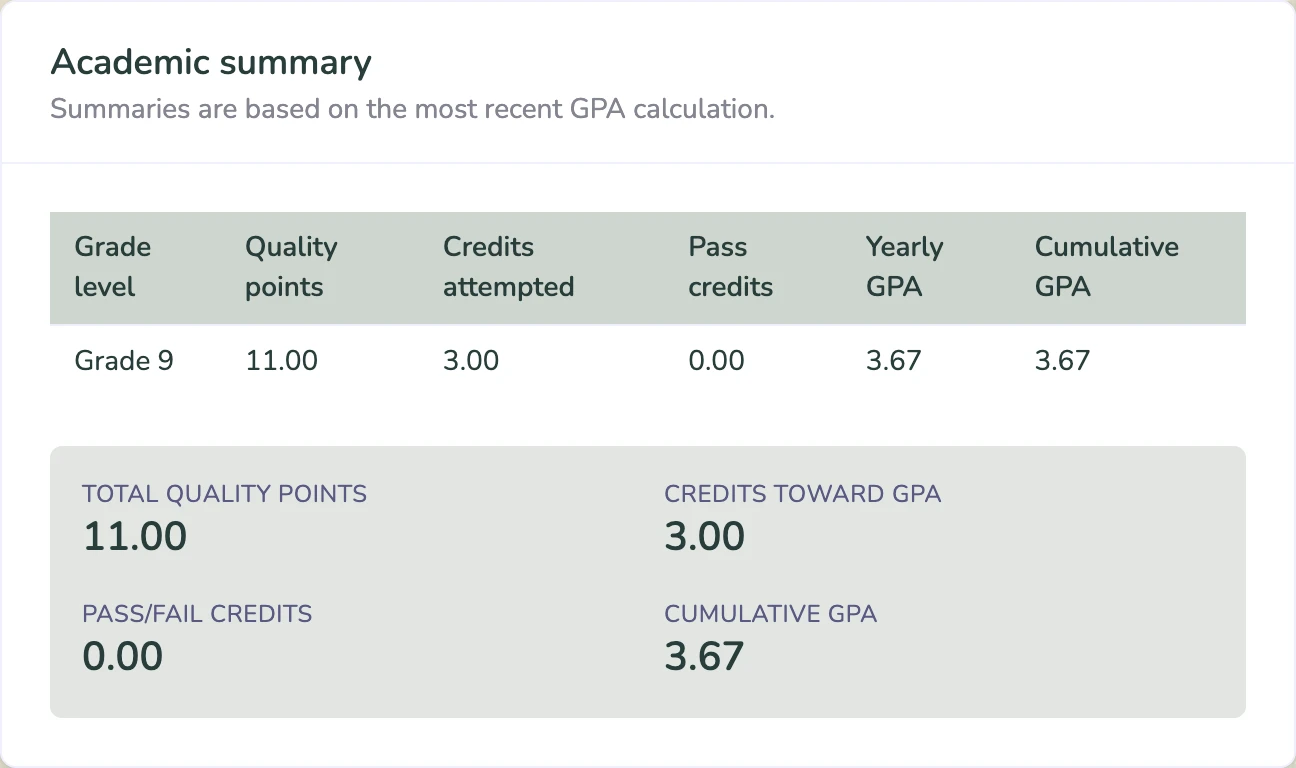
Record grades, calculate weighted GPAs, and build downloadable transcripts. Completed Nest work joins your learning records, and secure portfolio links let you share what matters.
- Bring the whole family
-
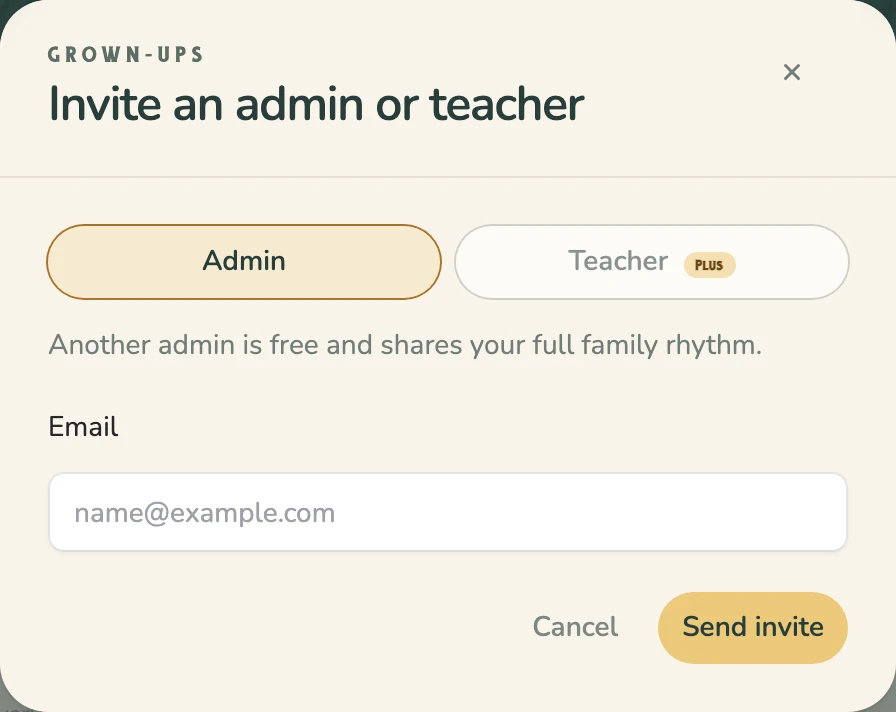
Bring up to five family admins so parents and co-teaching grandparents can plan, log, and see the same picture. Use Trail Mail for messages and photos.
- Keep teachers in the loop
-
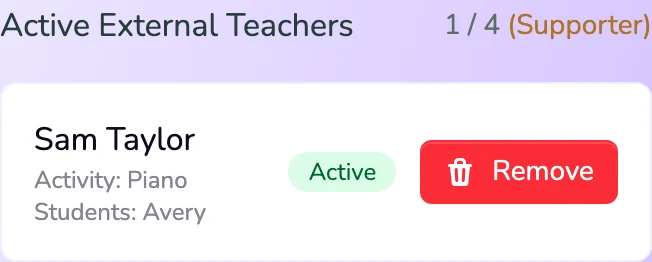
Invite tutors, co-op leaders, or outside teachers with access to just the students they work with. Keep their notes and work alongside your family’s learning records.
TrailGuide
Nest
Compass
Grades & transcripts
Family
Teachers
You can even turn a child’s idea into a custom printable coloring page they can color in Nest or print.
Follow what they love
Plus is fun, too.
The cat video. Their favorite team. A new space discovery. Bring their interests into Nest, along with a little encouragement from you.
- Watch without the rabbit hole
- Send a YouTube video to the Nest app’s ad-free, privacy-first player. No suggested next video. Just the science demo, how-to, or cat clip you chose.
- Share a good read
- Send an internet article about something they love. Supported articles open in reader mode, with the text and images separated from the website’s clutter.
- Make their mailbox personal
- Use Trail Mail for notes, photos, and screenshots in Nest. Share an inside joke or a quick “I’m proud of you.”
- Keep up with their team
- Choose their favorite team and sport. Sports Recap brings recent game results and team updates into a card they can read in Nest.
- Let Patrol follow their interests
- Space missions, animals, or news from your area: choose a topic and Patrol looks for recent news, with kid-friendly summaries and sources.
- Listen to something new
- Find a podcast or make one about a topic they’re curious about. Add fun facts and silly stories for something a little different.
Your free tools stay free.
Keep planning and recording
Planner, Rhythm, attendance, learning logs, journals, and core portfolio and reporting tools are available with HomeTrail Free.
Add help with Plus
Create materials, use TrailGuide and Nest, get Compass feedback, and add grading, transcripts, portfolio sharing, and family collaboration.
Just need the basics? Start with HomeTrail Free.
What changes
It’s not supposed to feel this hard.
Less noise. More confidence. A calmer way to plan, teach, and keep records.
Less busywork
Log the day once and you’re done. Your planner, records, and reports stay up to date on their own.
You stay in charge
There is no AI “teacher” in the room. You’re the guide. The tools do prep and logistics behind the scenes.
A clear record
Journals, plans, and progress in one system so you can see momentum, not just chaos.
Trusted by 15,000+ families
4.8 average on the App Store across 95 iOS (4.9) · 67 Android (4.6)
“Not only is this app insanely helpful, but it's beautiful too. Everything is laid out so well, you don't have to search for anything. Easy to open during spontaneous activities track and move on. THANK YOU!”
Aurora
“Thank you so much for your reply, and this amazing resource you have created and are sharing with so many!! It's a game changer!”
Alicia
“I am really liking your app and site. I try to use it everyday. I like the convenience of the app. Great app.”
Laura
“I just started using this last week and it's amazing!”
Melissa
“This app is genius and I can't wait to use this.”
Janet
“This is something I would pay for... And I think you certainly deserve something for all of the work you put into it.”
Jodi
“Not only is this app insanely helpful, but it's beautiful too. Everything is laid out so well, you don't have to search for anything. Easy to open during spontaneous activities track and move on. THANK YOU!”
Aurora
“Thank you so much for your reply, and this amazing resource you have created and are sharing with so many!! It's a game changer!”
Alicia
“I am really liking your app and site. I try to use it everyday. I like the convenience of the app. Great app.”
Laura
“I just started using this last week and it's amazing!”
Melissa
“This app is genius and I can't wait to use this.”
Janet
“This is something I would pay for... And I think you certainly deserve something for all of the work you put into it.”
Jodi
Pricing
One plan. Everything included.
HomeTrail Plus
Everything in Free, plus Create Materials, TrailGuide, Nest, Compass, grading, and transcripts.
or $199/year Save 17%
Start your 10-day free trial10-day free trial, then $19.99/mo unless canceled Just need the basics? Start with HomeTrail Free →
Everything included
- TrailGuide SMS assistant
- Nest distraction-free kid app
- Compass work review & curriculum import
- Generated packs & worksheets
- Planner, Journey & reports
- Grading & transcripts
- Family & teacher access
- Priority support
Already a Supporter? You’re grandfathered at your current rate. No action needed.
Questions & answers
What's included in HomeTrail Plus?
Create Materials with review and tailoring, TrailGuide by text, Nest, Compass work review and curriculum PDF import, grading and transcripts, portfolio sharing, Trail Mail, family and teacher access, and priority support. Your core planner and recordkeeping tools remain free.
Will TrailGuide automatically readjust my planner?
No. Tell TrailGuide what was unfinished and ask it to move the activity you choose. Schedule changes are parent-directed and require your confirmation; HomeTrail does not silently rewrite the rest of your plan.
Can I import the curriculum I already bought?
Yes. Upload an authorized curriculum PDF in Compass, review the proposed lessons and dates, and choose when to add it to your planner. The source PDF is deleted after parsing, and HomeTrail keeps the planning details, not the curriculum file or extracted text.
What happens when my child finishes their work?
Kids can submit supported work in Nest, or you can text TrailGuide a photo of finished work. Ask Compass for specific feedback and follow-up practice, then review what it suggests. You decide the grade and what comes next.
Does my child talk to TrailGuide directly?
No. TrailGuide is for you, by text. Your kids work in Nest, which shows only the lessons, readings, and worksheets you send, and there is no chat window for them. Compass reviews finished work for you, and you decide what to share with your child and what comes next.
Why does Plus cost more than some other homeschool planners?
Most planners charge for the planner itself. On HomeTrail, the planner, attendance, learning logs, and portfolio reports are free, and many families never need more. Plus is for families who want the extra help: TrailGuide by text, materials made for your child, Nest, Compass work review, and grading and transcripts. One subscription covers every child in your family, with no per-student charge. Plus is $19.99 a month, or $199 a year (about $16.58 a month).
Is there an app?
Yes. HomeTrail runs on the web and as an app for iPhone, iPad, and Android, and everything stays in sync. Nest, the student app included with Plus, is also on the App Store and Google Play.
Can I cancel anytime?
Yes. Cancel from your billing page whenever you want. You keep access through the end of the period, and your account stays on the free tier after that.
Ready to go all in?
Start your 10-day free trial10-day free trial, then $19.99/mo unless canceled Just need the basics? Start with HomeTrail Free
Questions? Explore the full Plus help catalog.