TrailGuide helps Plus families through SMS, WhatsApp, and the Compass conversation on the HomeTrail website. The Compass conversation focuses on the selected child’s learning starting point and math practice; messaging supports the wider family tasks below. This reference gives you language you can copy into a message.
For a shorter introduction, start with Getting Started with TrailGuide. To connect a phone, see Connecting TrailGuide with SMS or WhatsApp.
Before you start
- Name the student, date, activity, or pack whenever it matters.
- TrailGuide asks a short follow-up when a request is missing important details or could match more than one record.
- Changes to family records usually show a confirmation before they are saved. Reply Y to approve the complete summary or N to cancel it.
- One confirmation can cover up to 40 changes, and a larger summary says how many changes it includes. For a bigger request, such as a whole term of plans, TrailGuide asks you to send it in smaller parts.
- When you approve planned or logged sessions, journal entries, nature time, or attendance together, TrailGuide saves all of them or none of them. If anything in a confirmed request can't be saved, TrailGuide tells you what was saved and what wasn't.
- Trail Mail and reminders can be sent or scheduled immediately. If you make a mistake, ask TrailGuide to undo the recent action.
- Nest, generated packs, Trail Mail, and Compass work review require the student app features included with HomeTrail Plus.
- TrailGuide works only with the current family's HomeTrail information and the messages or attachments you choose to send.
See plans, records, and progress
TrailGuide can read family information without changing it.
Read the schedule
See both explicitly dated Sessions and Rhythm items available in the Planner for a day or date range. TrailGuide identifies them separately: Rhythm items with no selected weekdays are available every day, while scheduled items appear on their selected weekdays.
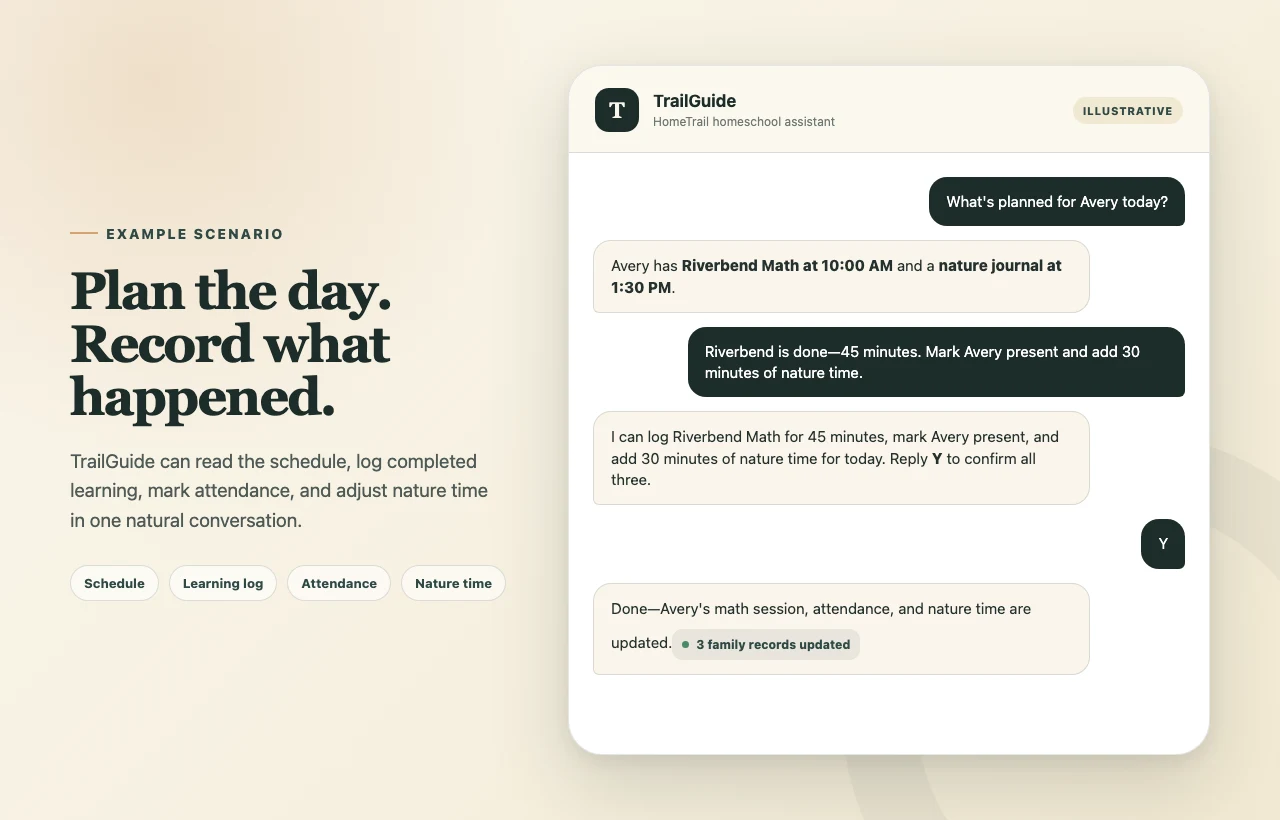
What's planned for Avery today?
Show me Jordan's schedule for next week.
Read completed learning
Review learning sessions that have already been logged.
What did Avery finish on Thursday?
Check progress
Get a recent progress summary for one or more students, with an optional subject focus.
How did Jordan do in math this week?
Read attendance
Check attendance for a day or date range.
How many attendance days does Avery have this month?
Read weather for your family location
Ask about stored daily weather, including outdoor conditions, sunrise, or sunset when available.
What is the weather today?
Recall recent TrailGuide messages
Refer to a recent message, link, or request without typing the whole thing again.
Use the article link I sent earlier for Jordan.
Record and manage learning
Log completed learning
Record a learning session that already happened, including the student, activity, subject, date, duration, and details you provide.
Log 45 minutes of Riverbend Math for Avery today.
Plan future learning
Create a future learning session after TrailGuide checks the schedule for conflicts or duplicates.
Plan a 30-minute nature journal for Jordan Friday at 1:30.
When your request resolves to a specific activity name, TrailGuide keeps that name instead of replacing it with a merely similar activity. It reuses an existing activity only when the full name matches, ignoring capitalization; otherwise HomeTrail creates a separate activity with the resolved wording and capitalization.
Update a planned session
Add, append, replace, or correct notes and details on one specific planned activity.
Add this note to Avery's math lesson tomorrow: use the fraction tiles first.
Complete a planned session
Mark one existing planned activity complete.
Mark Jordan's nature journal complete.
Delete a session
Remove one resolved session after reviewing TrailGuide's confirmation summary.
Delete Avery's duplicate reading session from yesterday.
Mark attendance
Mark one or more students present or absent for a date.
Mark everyone present today.
Adjust nature time
Add, subtract, or set a student's nature-time total. Say whether you want to add to the total or replace it.
Add 30 minutes of nature time for Avery today.
Set Jordan's nature time for Tuesday to 90 minutes.
Save a journal entry
Save the entry exactly as written, or ask TrailGuide to help you draft it before saving.
Save this journal entry for today: Avery kept trying until the bridge held all ten blocks.
Manage Rhythm
Read, add, edit, archive, assign, or schedule Rhythm items. These are the recurring entries previously labeled Custom Curriculum. TrailGuide can also move a missed lesson created from a Compass curriculum PDF and reflow the remaining incomplete lessons. For curriculum with a lesson sequence, it can start at a later lesson/week and spread each entry across several learning days. Open Home → Your family rhythm → select the curriculum → Adjust lesson plan, or ask TrailGuide by message, then confirm the change.
Add Lantern Science to Jordan's Rhythm on Tuesdays and Thursdays.
We missed Fractions Tuesday; resume Thursday and reflow the rest.
Start at Week 21 next Monday. Spend five learning days on each curriculum week, Monday through Friday, 30 minutes a day.
TrailGuide checks current progress and asks how to handle recorded days and unfinished saved work when needed. Answer in the same conversation, then review and confirm the proposal. Completed records stay saved; spreading a week across days repeats its content without dividing the PDF into daily pages. See adjusting a curriculum lesson plan for the choices and steps.
Undo a recent eligible action
Use a natural correction such as undo, oops, or take that back. You can name the action when it was not the most recent one.
Undo Avery's Trail Mail.
Never mind that reminder.
Create and manage Nest packs
TrailGuide can work with Nest when student app access is enabled for the family and student.
See saved packs
Ask which pack types are active or assigned for a student.
What packs are active for Avery?
See generated pack cards
Read the cards currently generated for Nest, including generation and completion status.
What generated cards are in Jordan's Nest today?
Generate a new pack card
Create a fresh pack output from a topic, specific settings, a web link, or a recent source card. Current pack types can include:
- Coloring pages, crosswords, quizzes, silly stories, and word searches
- Math worksheets, multiplication practice, sight word and letter flashcards, and cursive practice
- Fun facts, word of the day, sports recaps, weather, and news patrols
- Parent-selected articles, YouTube videos, and podcast episodes
- Source-backed Deep Dives, plain-language Explainers, and short HomeTrail podcasts or meditations
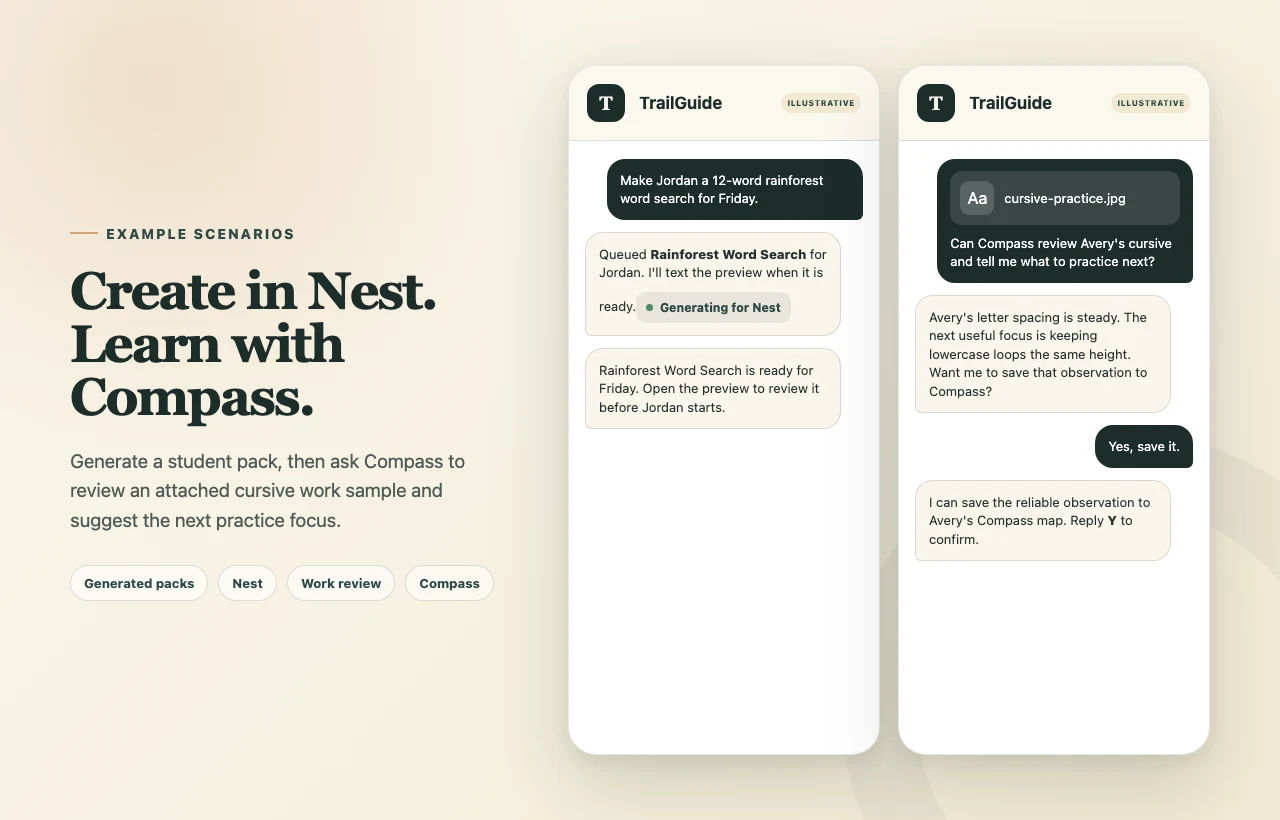
Make Jordan a 12-word rainforest word search for Friday.
Make Avery a two-digit addition worksheet with 15 problems.
Make Avery 10 first grade sight word flashcards.
Make Avery lowercase letter cards for b, d, p, and q.
For letter cards, name the letters you want or ask for a stack drawn from the alphabet. When you leave the letters unspecified, you get 10 cards unless you ask for a different size. Cards show uppercase letters unless you ask for lowercase or both together. Ask for 26 cards to practice the whole alphabet. See Generating Packs for Students to choose letter cards on the website.
Turn the article I sent into a Newsworthy card for Jordan.
TrailGuide says when generation is queued and sends the finished preview when it is ready. Review generated work and external material before relying on it.
Your family can request up to 20 materials a day with paid Plus, or 5 during a trial. Create, TrailGuide, mobile requests, and Tailor it revisions share this allowance; recurring scheduled packs and copies sent to additional students do not count. It resets at midnight in your family's time zone. On the website, the Updates bell shows material progress and lets you return to Review & finish.
Attach a material to a planned session
When you name a planned Session, lesson, or dated Planner activity, TrailGuide can generate a catalog material onto that Session instead of creating a standalone Nest card. Nest-only requests such as “make Avery a worksheet” still create a Nest pack card.
Add a volcanoes crossword to Avery's planned science session tomorrow.
For the Create, Planner, and Day flow, including attaching a PDF you already have with Attach PDF, see Add Materials to a Planned Session.
Find articles, videos, or podcasts
Search for grade-appropriate material, use relevant Compass context and family publisher preferences, and review a numbered shortlist before choosing one or more results. Selected external material stays hidden until a parent approves it. TrailGuide can also turn article research into a cited Deep Dive, a HomeTrail podcast, or another suitable learning activity.
Find Charlie podcasts and articles about mountain lions around Rocky Mountain National Park.
Send 1 and 3 to Charlie, then turn those sources into a Deep Dive.
For the full research and approval flow, see Finding Learning Materials with TrailGuide.
Find and queue one educational video
For a quick one-video request, TrailGuide can find a kid-friendly video, check whether it fits the student's grade, and queue it in the YouTube Videos pack.
Find Avery a kid-friendly video about how beavers build dams.
Follow YouTube channels for Nest
Follow a channel for one student, list followed channels, stop following one, or turn TrailGuide new-video alerts on and off.
Follow @scienceforkids for Avery and text me when a new video is ready.
When a followed channel publishes a video, TrailGuide texts the direct YouTube link after quiet hours. Reply ADD to put the prompted video in the student's Nest.
Turn off new-video alerts for Science for Kids and Avery.
Stop a recurring pack
Ask “Stop the Weather pack for Sam” to turn off future daily generation for that student. Existing cards stay available. To hide those too, ask “Stop the Weather pack for Sam and archive its existing cards.” Saved work remains available. A pack already generating may still finish.
Archiving an individual card does not stop its recurring schedule. You can also turn the schedule off on the website under Plus Hub → Nest → Weather → Set up pack → student menu → Disable Pack. See Managing Generated Pack Cards in Nest for parent app steps.
Rename or move a generated card
Change a generated card's parent-facing title or the date it becomes visible in Nest.
Rename Jordan's latest word search to Rainforest Review.
Move Avery's math worksheet to Friday.
Regenerate or revise a card
Create a fresh revision from a recent output while keeping the earlier card intact.
Make that worksheet shorter and include one example.
Add details, attach work, or complete a generated pack
Add notes or an attached photo to the learning session connected to a generated card. Mark it complete only when you say the work is finished.
Attach this photo to Avery's cursive pack and mark it complete.
Print a Nest daily edition
Build a print-friendly daily edition from one or more students' existing Nest work and return temporary print links.
Print today's Nest for Avery and Jordan.
TrailGuide can read, rename, regenerate, and complete generated cards. When stopping a recurring pack, it can also archive that schedule’s existing cards if you ask. For individual card archiving, restoring, or deletion, use Plus Hub → Nest.
Use Compass for learning insight
Read a child’s saved learning focus
Open Plus Hub → Compass, choose a child, and ask TrailGuide what is currently selected. It explains whether the starting point is confirmed or still needs a review. This assistant conversation is separate from SMS and from other children’s conversations.
Choose or adjust a starting point
On the Compass page, choose Choose a starting point or Adjust the focus. TrailGuide explains concrete examples and previews the child, focus, and support before you choose Save this choice. Asking a question keeps the preview available. To choose something different, use Cancel first. Saving keeps the conversation going and preserves other learning paths.
Check connected game readiness
Eligible pilot families can check whether their child’s saved connection and learning focus support a game. This checks saved readiness rather than live connectivity. Choose a focus that fits the child; do not lower it just to unlock a game.
Choose a math worksheet to try
Ask what to practice next. TrailGuide can suggest one math worksheet using the selected child’s learning direction and your reported experience. You can answer a short question or skip it and try a tentative starting suggestion. A recommendation does not create work or establish mastery.
Create the recommended math worksheet
In the Compass conversation, reply yes please to an active worksheet offer to see its preview. Choose Create worksheet to request a review draft, or Cancel. TrailGuide checks that the suggestion is still valid; if the learning context has changed, it asks you to review a fresh suggestion. Open Updates to follow progress and return to Review & finish when it is ready. There you choose children and delivery. Suggestions alone do not create materials, and nothing is sent automatically.
Save an observation about math practice
After trying a generated math worksheet, tell TrailGuide whether it felt about right, too easy, or needed help. Review and confirm the observation before it is saved to Compass. Completing a worksheet does not by itself establish mastery.
Review attached cursive work
Attach a clear photo and explicitly ask Compass for feedback on one student's cursive practice. The review can identify strengths and suggest what to practice next, but it is not an official grade, score, diagnosis, or assessment.
Can Compass review Avery's cursive practice and tell me what to work on next?
Save a reviewed work signal to Compass
After a qualifying review, TrailGuide asks whether you want to save reliable observations to the student's Compass learning map. Nothing is saved until you confirm.
Yes, save those observations to Compass.
Get parent-facing homeschool support
Ask TrailGuide to help you reflect on rhythms, patterns, confidence, or what kind of help to request from Compass. Recent session notes or journal entries are included only when you explicitly ask for that deeper review or consent to it.
Our mornings keep stalling. Help me think through a gentler rhythm and what to ask Compass for.
Create a draft portfolio
Build a draft portfolio from a student's sessions for a date range, with optional subject, activity, project, media, or session filters. TrailGuide returns a direct link so the parent can review it.
Create a March science portfolio for Jordan.
Communicate and remember
Send Trail Mail
Send a note, encouragement, or photo into Nest. Voice messages are temporarily unavailable; type your message instead. Use a learning activity for articles, videos, worksheets, quizzes, or generated activities.
Send Avery Trail Mail: I loved how carefully you worked through those fractions today.
Schedule a reminder
Ask TrailGuide to text you a reminder at a specific date and time.
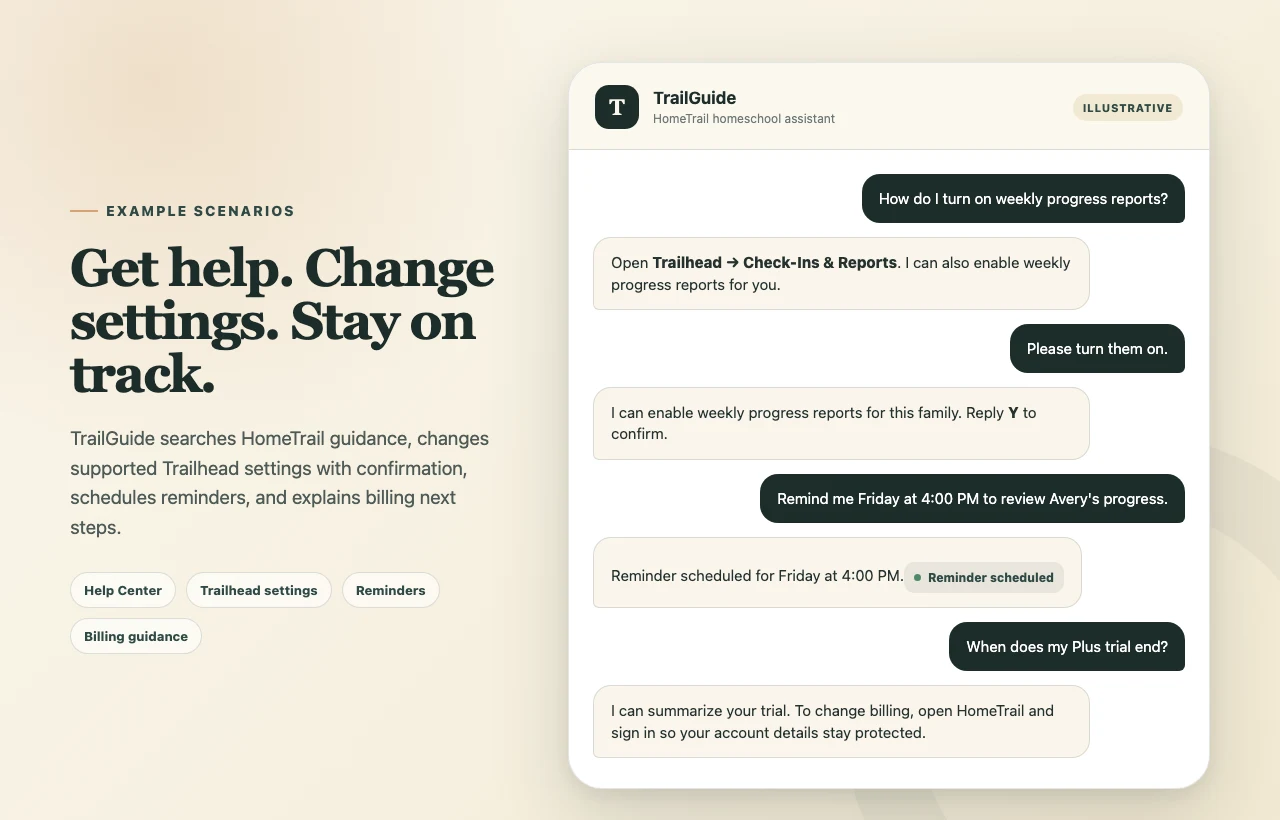
Remind me Friday at 4:00 PM to review Jordan's progress.
Find ideas, materials, and answers
Answer a homeschool or student question
Get a direct answer without changing HomeTrail records. TrailGuide may offer to log a useful question-and-answer exchange as spontaneous learning.
How long would it take to drive to the bottom of the ocean at 60 miles per hour?
Find educational resources
Search for a specific worksheet, lesson plan, activity, or other resource by topic, grade, or subject.
Find a third-grade lesson plan about pollinators.
Discover activities and outings
Get ideas for learning activities, outdoor exploration, or local outings.
Suggest outdoor science activities for a rainy week.
Get HomeTrail, settings, and account help
Search HomeTrail help
Ask where to find a feature, how a HomeTrail workflow works, or how to configure it. TrailGuide searches the published Help Center before answering.
How do I set up weekly progress reports?
Change supported Trailhead settings
TrailGuide can help change supported settings for progress reports, daily recap texts, TrailGuide, learning-material publisher exclusions, profile notes, profile fields, the school year, and grading. Review and confirm the exact change before it is saved.
Turn on weekly progress reports.
Change a student grade
TrailGuide can update the grade on an individual student profile after showing the current and requested grade for confirmation. The new grade guides future generated packs and worksheets. The current-grade attendance chart switches to attendance recorded under the new grade: it shows zero when that grade has no attendance yet, or shows any days already recorded for that grade. Attendance from the student's previous grade stays saved under previous grades. Existing generated content and past learning records are not rewritten.
Update Kate to sixth grade.
Check subscription and billing information
Ask about the current plan, trial end, payment method status, invoices, cancellation, plan changes, card updates, or starting Plus. TrailGuide summarizes what it can see, then directs the family account owner to sign in to HomeTrail for billing changes.
When does my Plus trial end?
TrailGuide never sends login credentials or direct billing-management links.
What TrailGuide does not do by text
- It does not share login credentials or direct billing-management links.
- It does not make unsupported account, phone, consent, teacher-integration, or deletion changes.
- It only archives generated Nest cards when you explicitly ask to archive the existing cards while stopping their recurring schedule. Use Nest for individual card cleanup or restoration.
- It does not treat Compass feedback as an official grade, score, diagnosis, or assessment.
- It does not guarantee that AI-generated work or an external article or video is error-free or suitable for every family. A parent should review it.
- It does not use another family's records or provide a raw dump of stored context.
When TrailGuide cannot perform a requested action, it searches HomeTrail help and points you to the closest supported screen or support path.